Official Google Minesweeper Presets Built In
Select your difficulty preset right above the solver grid (or read our complete Google Minesweeper Rules, Sizes & 50/50 Guide for strategy tips and mine-density comparisons):
| Google Difficulty | Grid Size (Rows × Cols) | Total Mines | Quick Preset Above |
|---|---|---|---|
| Easy | 8 × 10 (80 cells) | 10 mines (12.5%) | Click Easy 8×10 (Rows 8, Cols 10, Mines 10) |
| Medium | 14 × 18 (252 cells) | 40 mines (15.9%) | Click Med 14×18 (Rows 14, Cols 18, Mines 40) |
| Hard | 20 × 24 (480 cells) | 99 mines (20.6%) | Click Hard 20×24 — or enter just the tricky corner with Partial / cropped board on! |
How to Solve a Google Minesweeper Screenshot in 10 Seconds
- Capture or Copy Your Google Board: Take a quick screenshot on Windows (
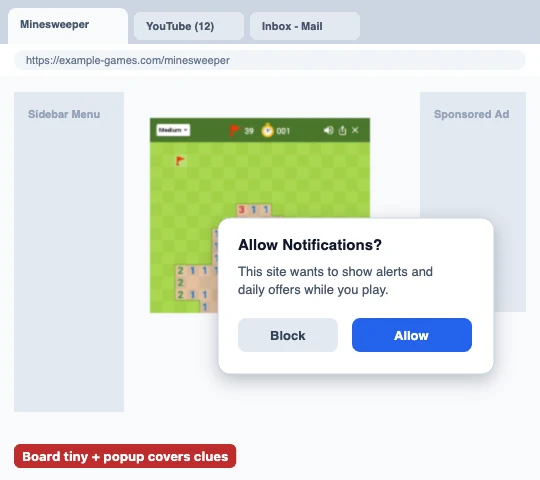
Win+Shift+S), Mac (Cmd+Ctrl+Shift+4), or your phone — try to keep the green board flat and sharp without browser overlays covering tiles. - Paste Directly Into Upload Mode: Switch to the 📷 Upload Screenshot tab above and press Ctrl+V / ⌘V (or tap to pick your screenshot on mobile).
- Click Top-Left & Bottom-Right Corners: Tap the outer top-left corner and outer bottom-right corner of the Google grid so our alignment overlay snaps cleanly onto every square. If any single tile misreads because of compression, tap it once in Paint mode to fix it.
- Check “Partial / Cropped Board” for Zoomed Corners: If your screenshot only captures part of a 20×24 Hard board, leave Partial / cropped board checked so cropped edges aren’t mistaken for solid walls.
- Click “Solve & Explain →”: Instantly see every 100% safe tile (green ✓), guaranteed mine (red ⚑), and the blue-outlined lowest-risk guess when Google Hard deals an unavoidable coin flip.
Google-Specific Screenshot Alignment & Color Recognition
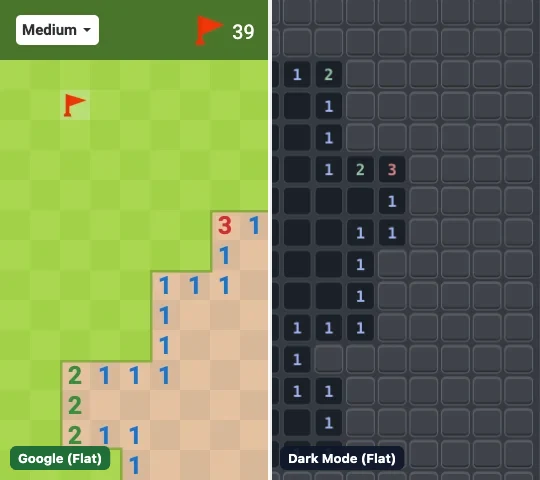
Unlike generic board readers, this page defaults to Google’s dedicated green-and-tan vision channel so your screenshot extracts cleanly in one paste — locally inside your browser Canvas:
- Green Grass & Tan Palette Tuning: Covered green grass squares (
#AAD751/#A2D149), revealed tan earth squares (#E5C29F/#D7B899), red flags, and Google’s exact 1–8 digit hues are matched directly — while ignoring Google’s thin green border edge so adjacent covered tiles never confuse digit shapes. - Desktop Landscape & Mobile Portrait Auto-Crop: Full-screen Google Search captures automatically crop out the dark-green
Medium | ⚑ | ⏱header bar and estimate both desktop presets (8×10,14×18,20×24) and tall phone portrait grids (10×8,18×14,24×20). - Slicing Dense Hard 20×24 (20.6%) Corners: On Google Hard, you rarely need to solve all 480 squares at once. Switch on Partial / cropped board, crop or paint just the 6×8 corner where you stalled, and let the solver inspect that local frontier without treating cropped edges as solid board walls.
Need Good vs. Bad screenshot examples or solving a non-Google theme (Classic Windows, Dark Mode, or custom apps)? See the full multi-theme guide on our Universal Minesweeper Solver.
Why Google Hard Players Use Exact Odds Instead of Gut Guesses
On Google Hard (20×24, 99 mines), two frontiers that look like an even “50/50” frequently hide an asymmetric 20% vs. 50% split or a sneaky global mine-count proof. Running the frontier through exact BigInt combinatorics catches every hidden 0%-risk move first — and when a real guess is forced, picking the lowest-risk square saves 10–15% more Hard runs over time.
Tired of Google Minesweeper forcing random 50/50 endgames? Switch to our 100% No-Guess Minesweeper Online, review Google Minesweeper rules & tips, read our 50/50 Guess Survival Guide, or design a friend challenge in our Custom Puzzle Maker.
Frequently Asked Questions
Does Google Minesweeper have 50/50 guesses?
Yes. Google Minesweeper guarantees a safe opening on your first click, but later frontiers — especially on Hard (20×24, 99 mines) — can still produce unavoidable 50/50 guesses.
Are my Google Minesweeper screenshots uploaded anywhere?
Never. All image decoding, grid alignment, and probability math run 100% locally inside your browser Canvas.
Do I have to enter all 480 tiles of a Google Hard board?
No! Turn on "Partial / cropped board", set a smaller grid like 6×8, and paint only the stuck frontier around your clues — the solver will still find every local 100% safe move and exact local odds.
What if the screenshot detector misreads one number?
After importing a screenshot, you can tap any square on the grid to correct a number or flag, then click "Solve & Explain →" again for instant updated odds.
Player Comments & Questions