How to Use the Minesweeper Solver in 3 Steps
- Choose Paint or Screenshot Mode: In Paint Board, pick a preset (Beginner 9×9, Medium 16×16, Expert 16×30, or custom R×C) and tap tiles with a number brush (
0–8, Flag, or Covered) — tap a painted tile again with the same brush to clear it back to covered. Or switch to 📷 Upload Screenshot and press Ctrl+V / ⌘V to paste any board screenshot directly. - Check “Partial / Cropped Board” if Needed: If you only entered a tricky corner instead of the full game board, leave Partial / cropped board checked so the solver treats the cropped border as open territory rather than solid walls.
- Click “Solve & Explain →”: Every guaranteed safe tile turns green (✓ 0%), every guaranteed mine turns red (⚑ 100%), and any uncertain frontier square shows its exact mine percentage — with the statistically safest guess outlined in blue.
How Our Solver Avoids Common Calculator Mistakes
- Exact BigInt Combinatorics (Zero Rounding Bugs): Basic calculators use floating-point estimates that can round a 0.04% mine chance down to “0% safe.” Our solver counts valid mine layouts with arbitrary-precision JavaScript
BigIntarithmetic: tiny nonzero risks display as<1%, while green checkmarks mean mathematically zero mine layouts exist. - Connected-Component Factorization: Instead of freezing on big 16×30 Expert grids, the solver splits independent frontiers into separate components and recombines them with the remaining global mine count — solving complex boards in milliseconds.
- Safe Partial / Cropped Boards: Turning on Partial / cropped board prevents false “edge wall” proofs on cropped screenshots and disables invalid global mine-count deductions.
- 100% Local Screenshot Processing: Auto-detects Google Green and Classic Gray board edges right inside your browser Canvas (or lets you tap Top-Left and Bottom-Right to fine-tune) — your image never leaves your device.
Good vs. Bad Screenshots: Real Examples & Universal Recognition
Our universal screenshot engine runs 100% locally in your browser Canvas — no image is ever uploaded. Using 2D square-grid detection, adaptive background clustering, and 5×7 digit shape + HSV hue fusion, it reads flat screenshots from Google Minesweeper (desktop landscape & mobile portrait), Classic Windows, Dark Mode, and other square-grid Minesweeper apps, then verifies clues against Minesweeper math so impossible reads automatically become dashed ? tiles for 1-tap review.
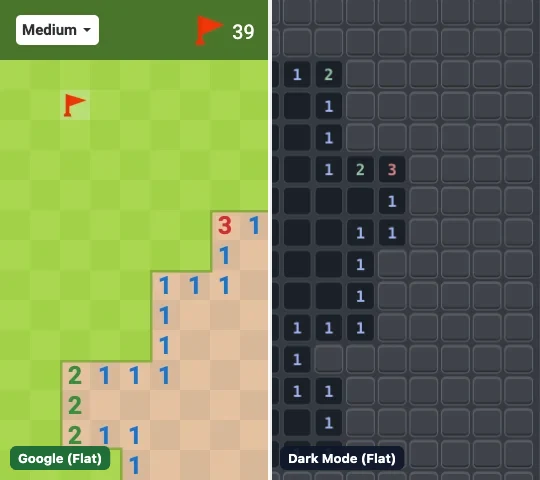
- Take a direct screenshot (
Win+Shift+S,⌘+Shift+4, or phone screenshot) - Works on Google, Classic, Dark Mode, & other flat Minesweeper apps via Auto (Any Theme)
- Top timer bar is OK — after upload, we auto-crop it & estimate
Rows × Cols
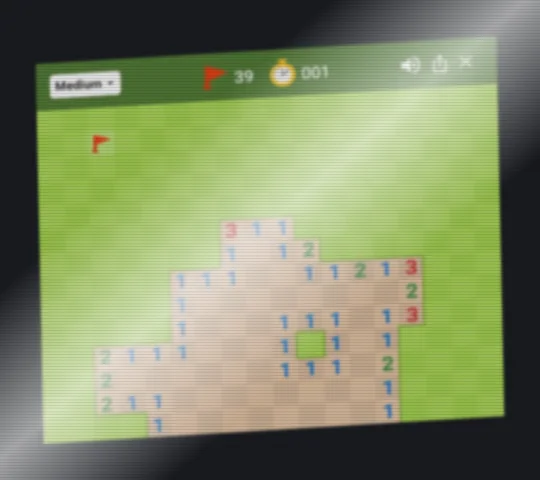
- Pointing a phone camera at another monitor adds tilt, window glare, and moiré blur that break square alignment
- Quick fix: Use a direct screenshot, or switch to 🎨 Paint Board + Partial board for the 4×6 stuck corner (~10s)
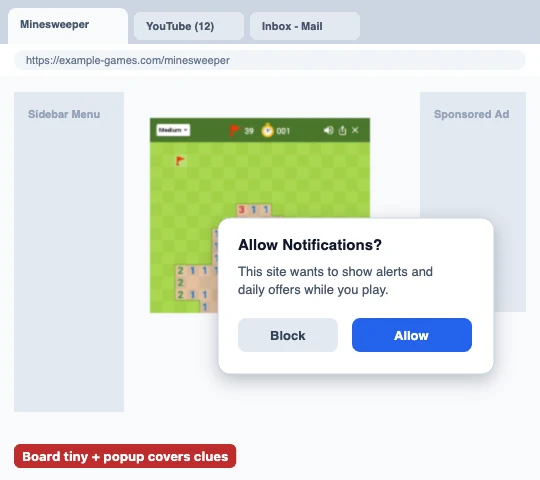
- Notification popups covering numbers or a tiny board in a cluttered desktop capture leave too few pixels to read
1–8 - Quick fix: Close popups and screenshot closer to the board — you can fine-tune the red grid in Step 2 after uploading
Reading Solver Results (0%, 100%, Blue Outline & Contradictions)
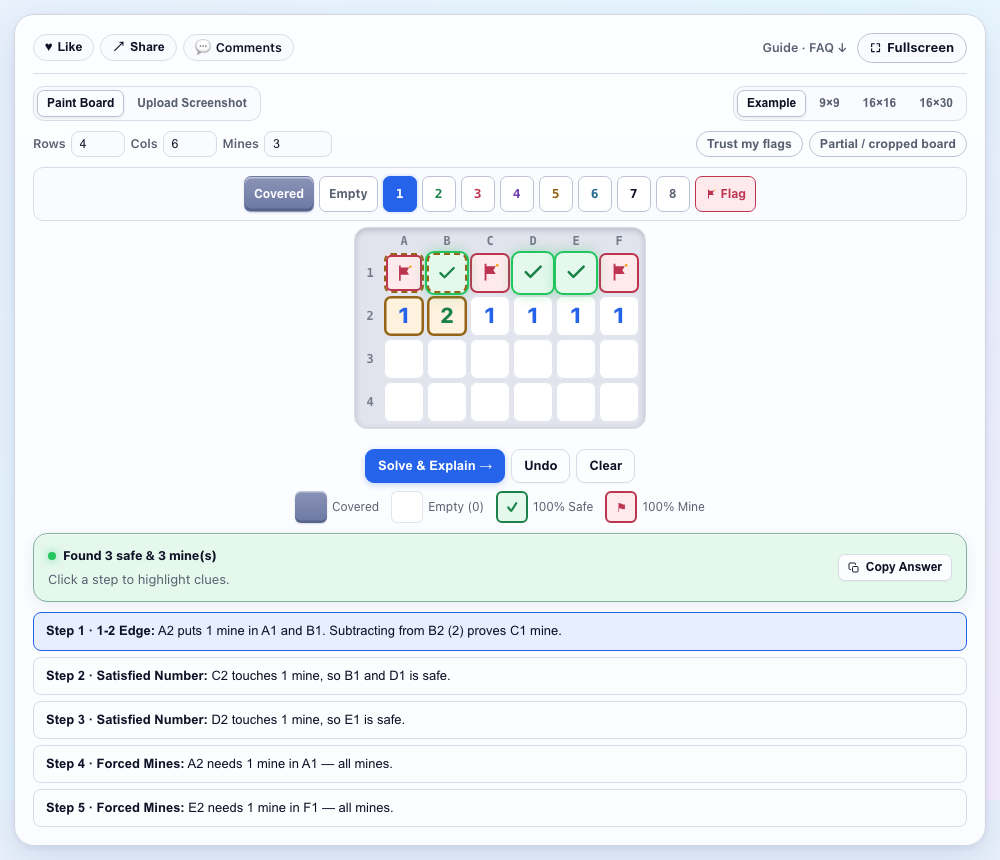
| Visual Highlight | Exact Meaning | What to Do Next |
|---|---|---|
| Green ✓ (0%) | Mathematically zero valid layouts place a mine here | Click safely — click the step link below the board to see why |
| Red ⚑ (100%) | Every valid mine layout requires a mine on this tile | Flag it (or mentally subtract it to unlock nearby numbers) |
| Blue Outline (e.g. 25%) | No guaranteed safe move exists; lowest-risk survival tile | Click this tile — it maximizes survival odds (see our 50/50 Guide) |
| Red Contradiction Banner | Entered clues cannot simultaneously be true | Click ↩ Undo Last Edit to fix a typo or wrong flag on your real board |
Solving a green-and-tan Google board? Jump straight to our pre-tuned Google Minesweeper Solver, or switch to No-Guess Minesweeper Online if you want boards that never force a guess.
Frequently Asked Questions
Does the Minesweeper screenshot solver upload my images?
No. Screenshot cropping, grid detection, and probability math run 100% locally inside your browser Canvas with zero server uploads.
Why does the solver show percentages instead of a safe move?
When no tile is 100% safe across all valid mine arrangements, the solver computes exact mine probabilities and outlines the statistically safest move in blue.
Why did the solver report a contradiction on my board?
A contradiction means two entered numbers or flags cannot both be true at the same time — usually because a number was mis-entered or a flag on your real board is misplaced on a safe tile.
Does the solver work for Google Minesweeper Easy, Medium, and Hard?
Yes! You can set custom rows and columns here or open our dedicated Google Minesweeper Solver (/google-minesweeper-solver), which comes pre-loaded with 8×10, 14×18, and 20×24 presets.
Player Comments & Questions